Note: The terms "Wishlists" and "Playlists" are used interchangeably.
If you are still not sure about which song to choose, you can create your own Wishlist / Playlist to organize all the tracks you want to save for later. You can access all your wishlists via your profile. Or click here to go to your playlists.
To add a track to your Wishlist, click on the little heart icon that appears on the right end of the tracks waveform:
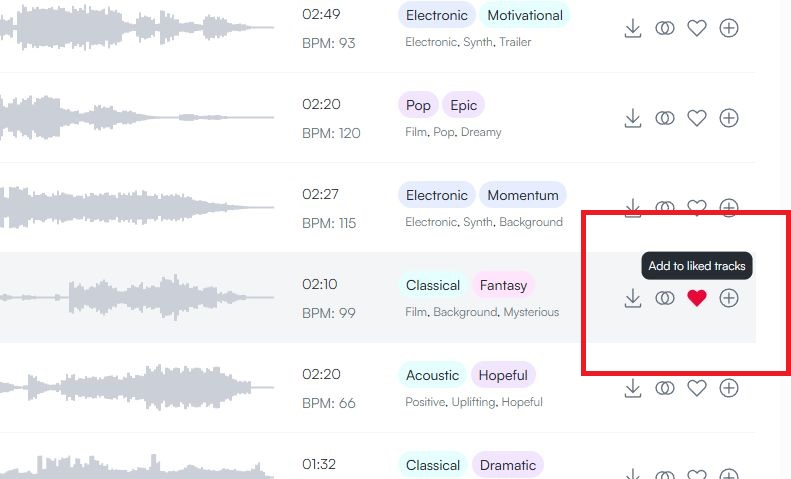
Clicking this Heart Icon will add this track to your "Liked Tracks" Playlist and is the easiest and fastes way to save tracks.
If you want to organize your tracks more in detail you can also create custom titled playlists by clicking on the "+" icon right next to the heart icon.
This will open a pop-up where you can add this track to already existing playlists or create new playlists to add this track to:
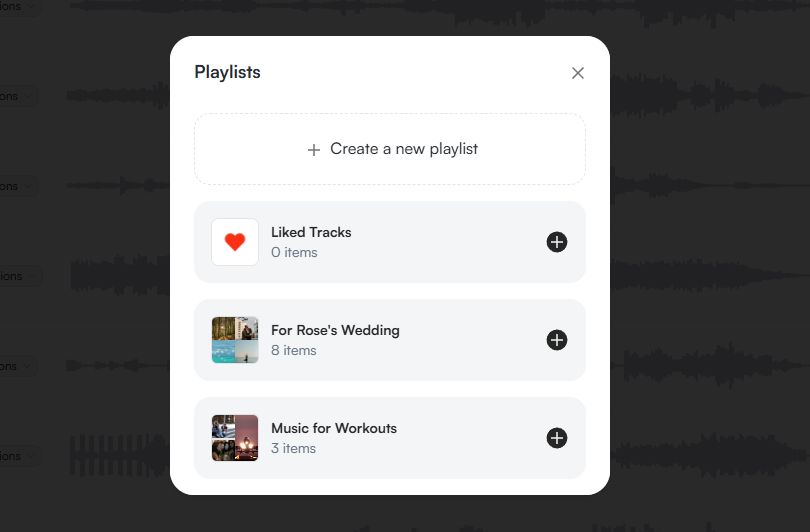
To view them just go to your profile and select Playlists on the dashboard on the left. You can create thematic lists and organize them as you want!