If you need to add or remove your card details, here's a step-by-step guide to help you through the process. It's important to note that if you have an active subscription, you won't be able to remove your current payment method. However, you can add another payment method and switch it as needed. Follow these steps to update:
- Click on your profile image on the top right and go to your Profile.
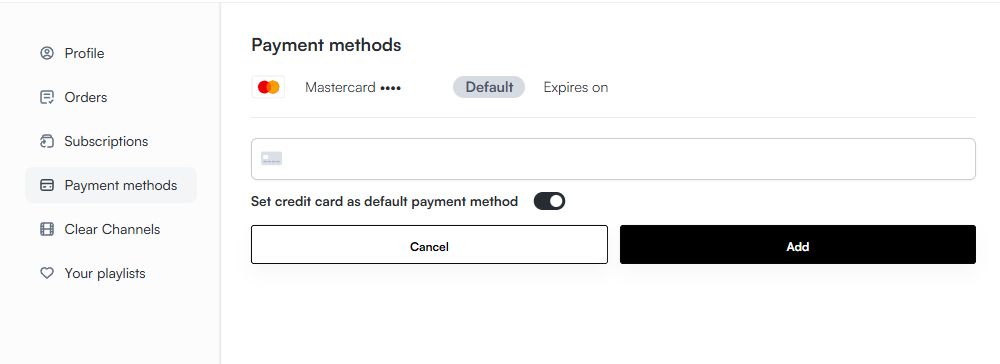
- Here, on the left side of the screen, select Payment Methods. From here, you can organize your different payment methods. You can add or remove them.
- Click on 'Add Payment Method' and enter your credit card details. If you enable the slider "Set credit card as default payment method", subscription renewals will from now on use this new card.
If you have any questions or need further assistance, feel free to contact our support team, available 24/7 via live chat or email at support@hooksounds.com. We're happy to help!