If you are an active "Enterprise plan" or "Business plan" subscriber, you are entitled to a proper certificate of use. It resumes your rights to play the HookSounds music in-store at the venues that you have indicated and certifies that the music is not registered to any Performance Royalty Organization ("P.R.O."). This makes sure you will not have to pay any royalties to such organizations.
Each certificate is valid for one specific address only.
You can download your In-store certificate straight from your User Dashboard. To do so, click on your username (top right of the page), go to Profile and on the column to the left, click on "In-store licensing". Complete the information, including information on the location. It is important that you accurately complete the information regarding the location in which you will be utilizing HookSounds' music in-store. 
Once everything is set, click on "Save store" and the certificate will be generated automatically. You will see it above the form. To download it, click on the icon under "Issue certificate".
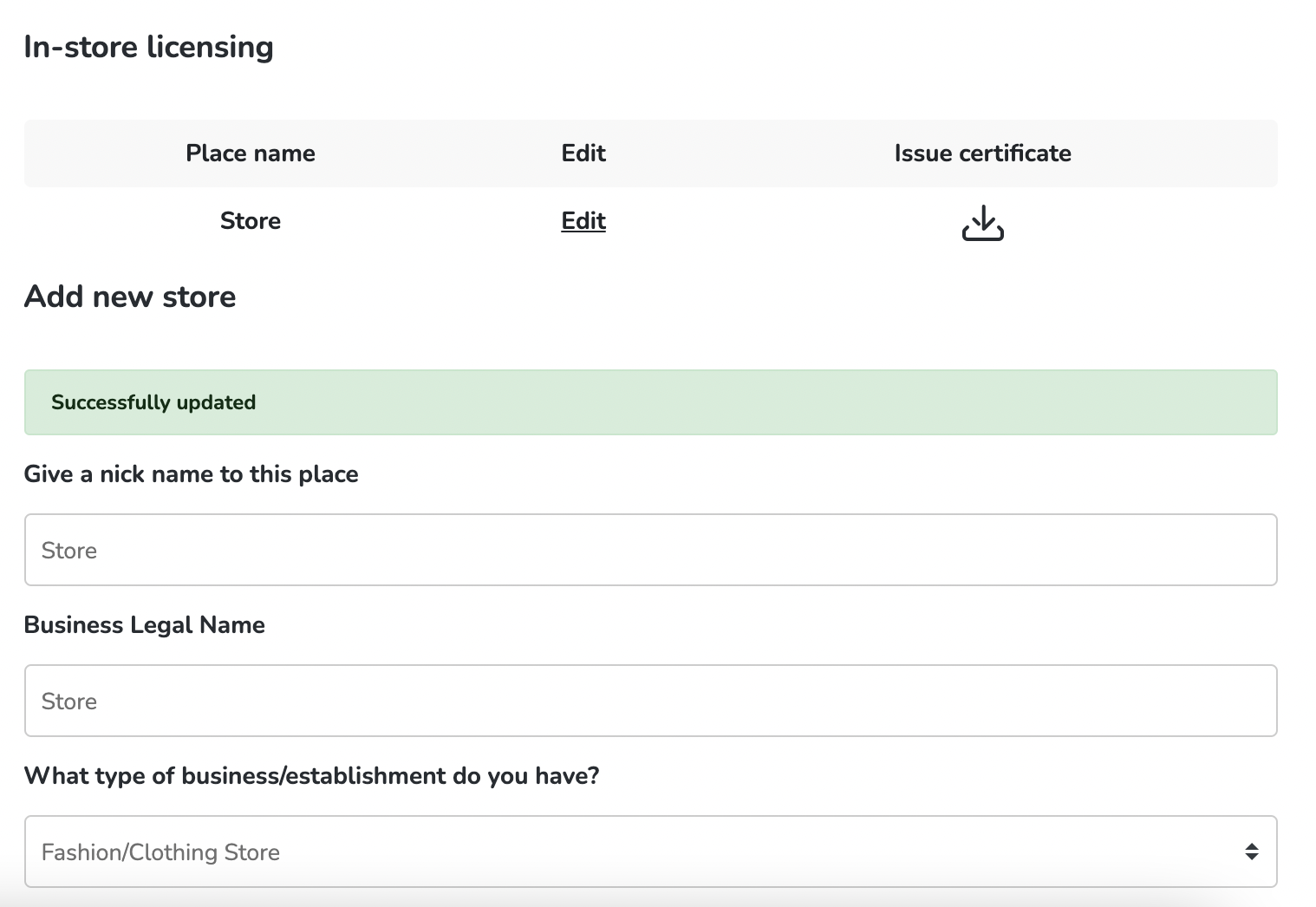
You can add as many stores as you need and get a certificate for each one, just by completing this process again.
If you have any further questions, please feel free to reach out to support@hooksounds.com