

TL;DR
- You can use music on Twitch, but you need to make sure you have the necessary rights or permission.
- A Spotify, Apple Music, or similar subscription does not give you the right to broadcast those songs on Twitch.
- Twitch scans VODs and Clips for copyrighted audio and can automatically mute detected sections.
- A muted VOD does not automatically mean that you have violated copyright.
- If you receive a DMCA notification, the consequences can be more serious and may affect your ability to stream.
- Royalty-free music is a simple solution because it comes with clear licensing terms that allow personal and commercial use and usage on many other platforms—not just Twitch.
- Twitch also has a dedicated DJ Program that allows enrolled DJs to stream a large catalog of popular music under Twitch's licensing framework.
- Always check the terms of the music license before using a track on your Twitch channel.
Music is an important part of many Twitch streams. If you understand how music licensing on Twitch works, you can choose the right music for your stream without constantly worrying about copyright problems, muted streams or even more serious legal issues.
In this guide, we’ll show you how you can safely use music in your Twitch streams and VODs, how Twitch's copyright detection works, what can happen if you use copyrighted music, and why royalty-free music can be a practical option for streamers.
Do You Need a Music License for Twitch?
It depends on the type of music you use.
There are limited free music options for Twitch for which you do not need a license.
But for exclusive and higher quality music, you’ll need a license.
If you want to play music that someone else created during your Twitch stream, you need to make sure you have the necessary rights or permission to use it.
Twitch's Community Guidelines specifically prohibit sharing music that you do not own or have the rights to share, including music playing in the background of a broadcast.
This is important because there is a common misunderstanding about what it means to "have" music. You might have the song on your phone, bought it or have a Spotify subscription.
None of these things necessarily give you the right to broadcast the music on Twitch.
Why You Can't Simply Play Any Music on Twitch
If you have bought the album of your favorite song from a popular artist or listen to it through Spotify or YouTube, chances are high that you are not allowed to broadcast it on your Twitch stream.
There is a difference between listening to music and broadcasting (using) music.
When you listen to a song through a streaming service, your subscription generally gives you access to listen to that service's catalog under its terms.
It does not automatically give you the right to redistribute or publicly broadcast those recordings.
We’ll cover safe-to-use music options later in this article.
When Do You Need a License to Use Music on Twitch?
You always need to make sure you have a license document at hand that allows you to use the music on Twitch whenever you use music from an external music provider.
A music license gives you permission to use a copyrighted work in specific ways. The exact rights depend on the license. This is why reading the licensing terms is so important.
There are also situations where the use of music is allowed without purchasing a traditional commercial music license.
When you own the copyright yourself, use public domain music, or use music provided directly through Twitch’s interface for free, you can use it without needing a separate licensing document.
Free, publicly available music for which you do not need a license sounds great at first glance.
But there’s a catch: you could still end up with an unexpected copyright claim.
Which Music License Do I Need for Twitch Streams?
When you want to license music from a third party music provider, there is no single "Twitch music license" that applies to every streamer.
Which license you need depend on your situation and where you license the music from.
For example, a streamer who broadcasts casually without monetizing their channel may have different licensing requirements than a business using Twitch as part of its marketing strategy.
Personal Streams
If you are an individual streamer creating non-commercial content, you may be able to use music under a personal or creator-oriented license.
Some music libraries offer licenses specifically for individual creators. Some are even free to use.
For non-monetized, personal streams, HookSounds offers both free music options as well as paid licensing options for exclusive, premium tracks you can safely use in your Twitch streams.
Commercial Twitch Streams
If your Twitch channel is monetized, sponsored, operated by a business, or used for commercial purposes, you may need a commercial license.
This is particularly important for businesses and professional creators.
For example, a music license might allow personal Twitch streaming but exclude advertising, sponsorships, or monetized content.
When choosing music for a commercial Twitch stream, make sure the source you are downloading from provides clear licensing terms and explicitly allows the use in commercial Twitch streams.
What to Look for in a Twitch Music License
Using music on Twitch legally requires you to understand the terms of the license.
Those specific terms will be important for you to look out for when using licensed music for your Twitch streams.
- Specifically “Twitch” or “VOD / Livestream” use
- Commercial use
- Monetization
- VODs
- Social media
- Geographic restrictions
- Duration of the license
- Attribution requirements
- Whether the license covers the recording and composition
A good music license should make it clear what you can and cannot do.
If you cannot understand what a license allows, it is better to clarify it before using the music rather than finding out after receiving a copyright notice.
HookSounds Makes Twitch Music Licensing Simple
There are hundreds of different types of music you can use—and they all come with different licensing terms and restrictions.
And even music labeled as “free-to-use” can trigger copyright problems.
The solution: Have one source for all your music needs.
Clear and simple licensing terms can make a big difference for streamers, allowing you to use the music on Twitch legally without having to second-guess whether each track is covered and which tracks could potentially be a risk.
HookSounds provides royalty free music with straightforward licensing terms, so streamers can understand how the music can be used on Twitch livestreams and in VODs—all included in one subscription.
If music subscriptions are not your thing, you can license individual tracks as well.
How Does Twitch's Copyright Detection Work?
Twitch is working with a third party to detect copyrighted, registered audio in your streams, clips, and VODs. That usually works through a complex analysis of the audio waveform.
This is primarily important for VODs and Clips.
Twitch does not proactively scan ongoing live streams for copyrighted audio as it does on VODs. However, this doesn't mean copyrighted material is safe to use during a livestream.
Copyright holders can still submit a so-called DMCA takedown notice to Twitch if you use copyrighted material in your stream without authorization.
What Happens If You Use Copyrighted Music on Twitch?
If the system detects three or more instances of copyrighted audio within a 24-hour period, Twitch sends you a warning and an email containing additional information about the copyrighted material detected in your VODs.
This copyright warning is a notification that you have used copyrighted audio material in your Twitch stream and/or VODs.
A Copyright Warning on Twitch is not the same as a copyright infringement.
The parts in which the copyrighted audio material is played will be muted.
Related clips created from that VOD that contain the copyrighted material may also be deleted.
What to Do If Your Twitch VOD Gets Muted
To be clear, a muted Twitch VOD does not mean you have violated copyright.
If you have obtained a valid license to use the audio in your Twitch content, you can appeal muted audio through the Video Producer.
Only appeal muted audio on Twitch if you are certain that you have a valid license or written permission to use the music. Misusing the appeal process could, in serious cases, result in legal consequences, a DMCA takedown notice, or a copyright strike.
What happens next?
After copyrighted audio is detected in a Twitch VOD, the rights holder may become aware that their content has been used.
They can then decide whether to take further action:
- If the use is unauthorized, they can submit a formal DMCA takedown notice to Twitch, requesting that the infringing content be removed.
- They can also choose to take no further action. This generally has no further consequences for you.
Twitch says that valid DMCA notifications can result in the removal or disabling of the reported content. Depending on the circumstances, Twitch may also suspend an account or restrict its ability to livestream.
If a DMCA takedown notice is successfully processed and the content is removed from your VOD, you may receive a copyright strike. This is when the situation becomes more serious.
If you receive three copyright strikes, Twitch generally considers your account a “repeat infringer.” This can result in the termination of your Twitch account.
Can Twitch Detect Music That I Have a License For?
Yes, it can happen.
The audio recognition system simply identifies audio and issues an audio warning when it matches content in its database.
It does not know whether you have purchased a license for a particular track.
In practice, the earliest point at which you can prove that you have a valid license is when you appeal the muted audio in your Twitch VOD.
This is why it is a good idea to keep records of your licenses and make sure they clearly cover your Twitch use.
Be aware that automated detection systems can make mistakes and incorrectly flag your VOD. If this happens, you can appeal the muted audio. If the manual review confirms that you had the necessary rights to use the music (or didn't even use the music at all), the appeal usually resolves the issue.
What Should You Do If You Get a Copyright Claim on Twitch?
A copyright claim or muted audio does not necessarily mean that you have infringed copyright.
First, find out exactly what happened. Determine whether Twitch simply detected copyrighted material in your content and muted the affected audio, or whether you have received a formal DMCA notification from a copyright owner.
- If your VOD was muted and you believe the music was properly licensed, Twitch provides an appeal process for muted audio.
- If you receive a DMCA notification and genuinely have the necessary rights to use the music, such as a valid license, you may be able to file a counter-notification through Twitch's process.
A surprisingly common problem is that a streamer has purchased or downloaded music legally, but the license does not actually cover Twitch streaming, VODs, monetization, or the specific way the music was used.
Always check your license terms carefully. Make sure they explicitly allow use in livestreams and VODs, as well as monetization or commercial use if applicable to your content.
How to Avoid Copyright Problems on Twitch
The easiest way to avoid copyright problems is to know where your music comes from.
If you are using a song you did not create yourself, check the source you downloaded it from before adding it to your stream.
The license should explicitly allow livestreaming, VODs and, if necessary, monetization rights.
Here are some Dos and Don’ts that can help avoid copyright problems on Twitch:
- Use music you created yourself and have the necessary rights to use.
- Use music from an established royalty free music provider, like HookSounds.
- Check that the license specifically covers Twitch or livestreaming.
- Check whether monetization is allowed.
- Check whether the license covers VODs and Clips.
- Keep your license documentation (invoices or specific license documents).
- Don't assume that buying or streaming a song gives you broadcasting rights.
- Don't assume that a short music clip is automatically safe.
- Don't rely on Twitch's audio detection system to always work correctly.
- If you're a DJ, check whether the Twitch DJ Program is appropriate for your use case.
What Music Can You Use on Twitch?
There are several music options available to Twitch streamers:
| Music source | Pros | Cons |
|---|---|---|
| Royalty-free music | Easy licensing, large selection, designed for creators, affordable & high quality | Most often not free, no standardized license terms across providers |
| Creative Commons music | Free to use | Different CC licenses have different restrictions or require correct attribution. |
| Public domain music | Free, no copyright restrictions | Recordings are often very outdated, lower quality, uncertainty about whether the recording is protected by copyright. |
| Commercial music | Huge selection of popular songs | Licensing can be very complex and expensive. |
| Twitch-specific music services | Free, designed for streaming | Small selection, catalog and terms vary |
| Twitch DJ Program | Access to a large catalog of popular music for enrolled DJs | Only usable for DJ streams |
Let's take a closer look at these options:
1. Royalty-Free Music
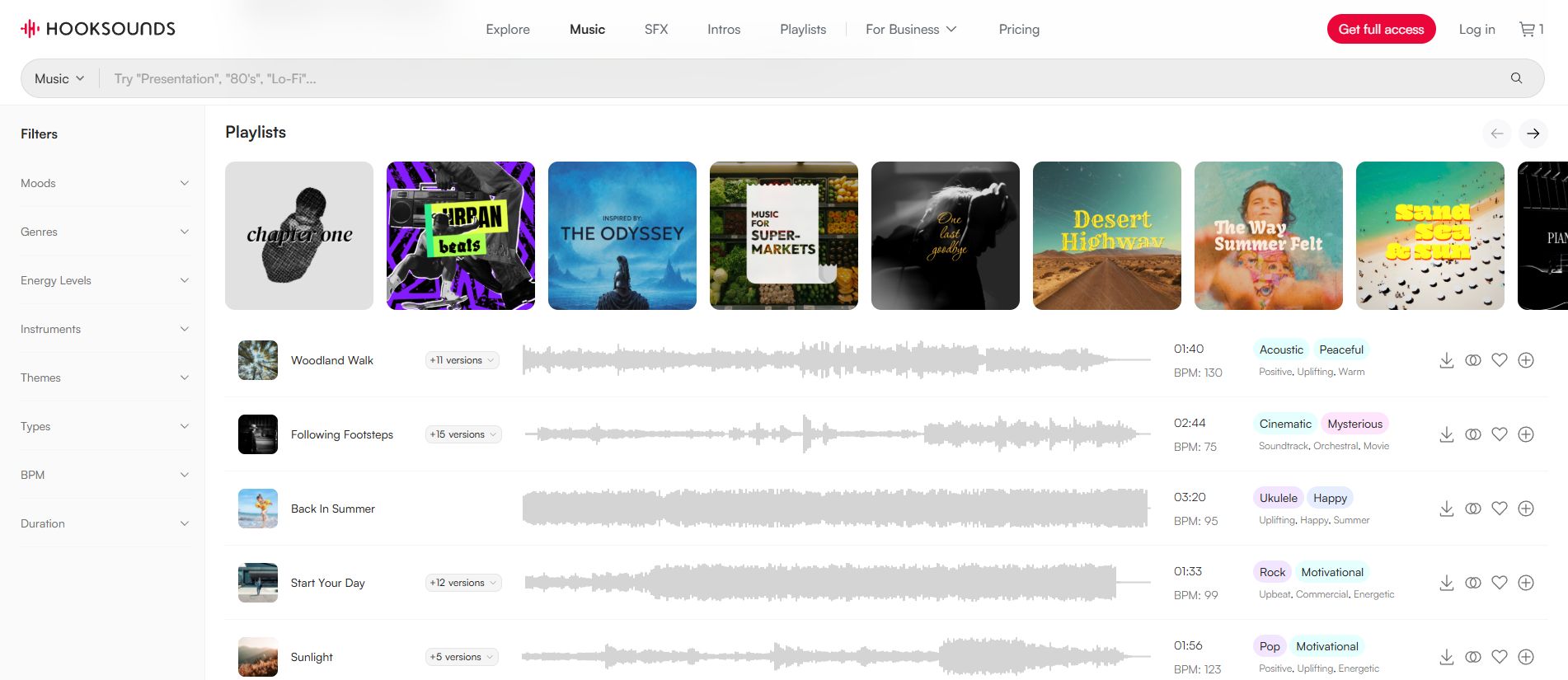
Royalty-free music is one of the simplest options for streamers and the one we recommend.
It means that the music is licensed under terms that generally allow you to use it without paying ongoing royalties for each use.
Licensing is very straightforward—either by subscribing to get all access to the platform’s music or licensing single tracks.
HookSounds specifically allows the use in Twitch livestreams, VODs (even monetized and commercial) and offers a big catalog for streams of every niche.
2. Creative Commons Music
Creative Commons is a licensing system that allows copyright owners to make their work available for free, but under specific conditions.
There isn't just one Creative Commons license. Different licenses come with different requirements.
Some allow commercial use, while others don't. Some require attribution, and others impose additional restrictions.
So if you find a song labeled “Creative Commons,” don't immediately assume you can use it on Twitch.
Here is a brief overview of the different Creative Commons licenses:
- CC BY – You can use and edit the music on Twitch, including monetized streams, as long as you give proper credit. Most CC works are distributed under this license.
- CC BY-SA – You can use and edit the music, including commercially, but adaptations must be shared under the same license.
- CC BY-ND – You can use the music on Twitch, including monetized content, but you cannot modify the original work.
- CC BY-NC – You can use and edit the music, but not in commercial or monetized content.
- CC BY-NC-SA – You can use and modify the music for non-commercial streams and VODs, but adaptations must use the same license.
- CC BY-NC-ND – The most restrictive option: you can use the music only for non-commercial purposes and cannot modify it.
- CC0 – The creator has waived copyright restrictions to the extent legally possible, so you can generally use, modify, and monetize the music without asking for permission.
3. Public Domain Music
Public domain music is music that is no longer protected by copyright. This is the case when the copyright term expires—for example, after the applicable copyright protection period following the composer’s death has passed.
In some cases, a work may also enter the public domain because it was never eligible for copyright protection in the first place, or because the copyright was not properly maintained under applicable laws. Once a work is in the public domain, you generally don't need permission from the copyright owner to use it.
However, be careful when using public domain music on Twitch. The composition and the recording are separate works. An old composition may be in the public domain, while a newer recording of that composition can still be protected by copyright.
If you want to use public domain music on Twitch, make sure that the specific recording you are using is also free from copyright restrictions. Once you have verified this, you can generally use the recording in your streams and VODs without obtaining a music license.
4. Commercial Music
Commercial music is the music you hear on the radio, Spotify, Apple Music, YouTube, and other mainstream services.
This is also the category that causes many problems for streamers.
Popular songs are usually protected by copyright, and broadcasting them on Twitch requires permissions from the relevant rights holders in most cases.
Be aware that paying for access to a streaming service does not automatically give you those broadcasting rights.
To use a commercially released song legally on Twitch, you need to obtain a license or other permission that specifically covers your intended use on Twitch.
This can be difficult for individual streamers because a recording can involve multiple rights holders, including the owners of the sound recording and the underlying musical composition.
5. Twitch-Specific Music Services
Twitch officially lists several free and paid music services that offer music specifically for streamers and creators.
This can be a convenient option because the licensing is designed with streaming and content creation in mind. Instead of negotiating rights for individual commercial songs, you can choose music from a library where the terms are generally tailored to creator use.
The downside is that the selection may be more limited than what you would find on mainstream music platforms, and some services focus on specific genres or styles. More importantly, licensing terms vary from one service to another. Not every service covers every type of content, monetization model, or platform.
What Is the Twitch DJ Program?
The Twitch DJ Program is a special program created for DJs who want to stream popular commercial music on Twitch.
Twitch launched the program in 2024 through partnerships with major labels and many independent rights holders. The program gives enrolled DJs access to a catalog containing tens of millions of tracks representing the vast majority of popular music.
The program was created specifically for DJ content and provides a framework for compensating music rights holders. If you are not hosting a DJ stream, you are not allowed to get access to the Twitch DJ Program.
Can I Use Music Through the Twitch DJ Program?
If you are an eligible DJ and opt into the program, you can use music covered by the program according to its rules.
The Twitch DJ Program is specifically intended for DJ livestreams. Twitch states that it does not apply to other uses of music.
So if you're a gaming streamer who simply wants background music, joining the DJ Program isn't a general-purpose solution.
Why Royalty-Free Music Is the Best Option for Twitch Streamers
For many streamers, royalty-free music is one of the easiest solutions, because you don't have to negotiate individual permissions with every artist or record label.
Instead, you get a license from the music provider that clearly explains how you can use the music. These are often Content Creator–Ready packages that grant you multiple relevant rights with a single purchase.
This licensing model makes things much simpler. You can choose music based on your content, download the tracks, and use them according to the license terms.
What Makes HookSounds Different?
One License That Covers All Your Needs
For years, we’ve been listening to our customers and using their feedback to shape our licensing options. The result is flexible subscription and single-license options designed to make using music on Twitch as worry-free as possible.
One of the biggest advantages of using royalty-free music from HookSounds is that our content creator licenses cover not only your Twitch content, but also other platforms and common creator use cases.
Instead of checking whether every track you want to use is licensed for each platform you publish on, you can manage your music licensing in one place with a single subscription or license.
Even if you decide to monetize your Twitch stream later—it’s included.
Our Music Versions Simplify Editing
Every music track on HookSounds comes with a range of ready-to-use track edits, including:
- Bed versions for voiceovers and narration
- Shorter versions (60-, 30-, and 15-second edits)
- Bumpers for intros and outros
- Short stingers for scene transitions
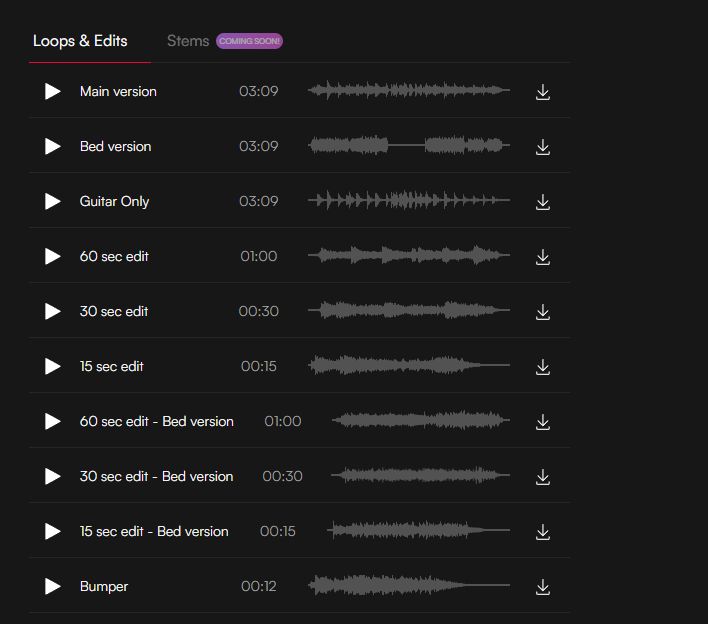
This means you don't have to take a full-length music track and edit it down yourself every time you need a different version. The audio is already professionally edited and ready to use in your Twitch streams, clips, and VODs.
Create Custom Playlists for Twitch
HookSounds lets you create your own playlists for use as background music in your Twitch streams and VODs. You never have to worry about your streams and VODs getting muted.
This makes it easy to prepare a selection of tracks in advance, so you can keep music playing throughout your content without having to manually choose a new track every time.
Here is a guide on how to create your music playlist for your Twitch streams.
Whitelist Your Channels
HookSounds partners with major social media platforms to secure your channels against copyright claims.
With your HookSounds license, you get access to your own Channel Whitelist, allowing you to safely use our music across your channels while reducing the risk of automated copyright claims.
Exclusive & Fully Owned Catalog
This is one of the biggest advantages of using HookSounds for your Twitch streams and VODs.
Our entire music catalog is fully owned and managed by us. Why does that matter?
Because we have full control over the rights to our music and don't rely on third-party rights holders to manage our catalog. This avoids situations where someone else claims content that you're properly licensed to use.
And if you have a valid HookSounds license, we'd love to hear it in your Twitch streams, VODs, and other content.
Royalty-Free Sound Effects for Twitch Streams
Music isn't the only type of audio that can improve your Twitch stream.
HookSounds’ Royalty-Free Sound Effects make your content even more engaging.
You’ll find the most useful sound effects for Twitch categorized on HookSounds:
- Transitions & Wooshes
- Impacts
- Buttons & Clicks
- Crowds
- …and many more
Just like music, make sure you have the right to use the sound effects by choosing one of our subscription plans or single licenses—everything’s included.
How to Choose the Best Music for Twitch Streams
Here is a useful step-by-step process for determining the type of music you should be looking for:
1. Determine the broad musical style
Which mood do you want to create? For instance:
| Mood | Consider using |
|---|---|
| Chill | Lo-Fi, Hip-Hop, Light Ambient Beats |
| Energetic & Upbeat | EDM, Pop |
| Creative & Aesthetic | Acoustic, Classical |
| Fun & Playful | Funk, Pop, Vintage |
| Emotional & Reflective | Piano, Acoustic, Cinematic |
| Retro & Nostalgic | Synthwave, 80s, Funk |
2. Determine the “Busyness”
Are you speaking during your streams, and is it important that your audience doesn’t miss a word?
If so, choose music that sits more quietly in the background, with:
- fewer instruments
- less prominent or bright melodies
- a lower overall energy level; in some cases, tracks with little to no melody can work particularly well.
- a consistent energy level, with no crescendos or gradual increases in intensity
On HookSounds, you can use the energy level filter in our royalty-free music library to find tracks that are less likely to compete with your voice.
When you're discussing serious topics or want an important part of your narration to stand out, we highly recommend using no music at all. This ensures that your audience's attention stays focused on your voice rather than being divided between your narration and the music.
3. Consider the tempo
The tempo of a track can have a big impact on the feel of your stream.
As a general rule:
- slower tracks work well for relaxed or conversational content.
- faster-paced music can add energy to gaming, challenges, or more action-heavy streams.
Think about the pace you want to establish rather than choosing a track based on genre alone.
A chill Lo-Fi track with a faster tempo can feel very different from a slow, atmospheric track—even though both might fall under the same broad musical style.
On HookSounds, you can also use our BPM filter to find tracks that match the pace you're looking for.
Music Examples for Twitch
Certain types of content pair well with specific styles of music. We’ve put together a selection of genres to give you a great starting point.
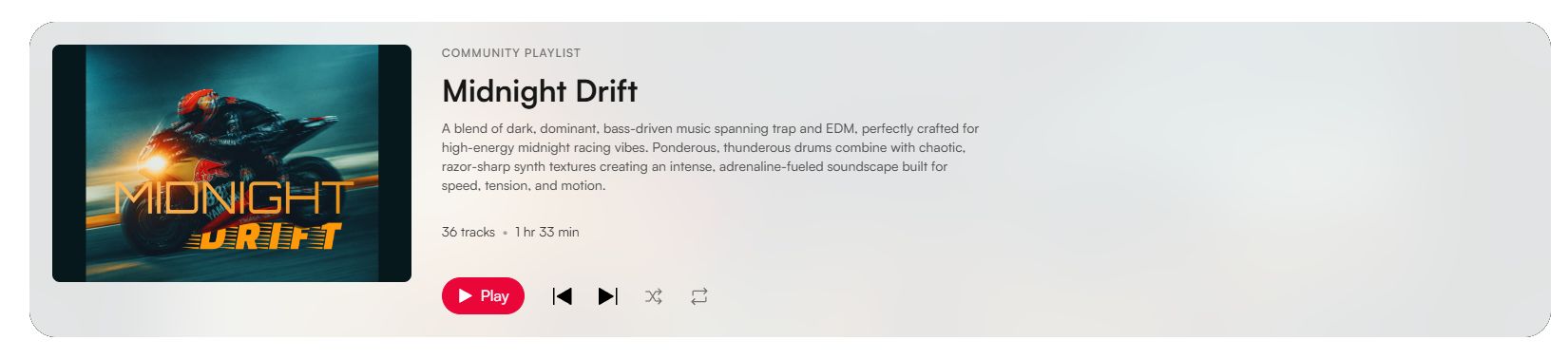
Music for Action & Racing Gaming Streams
Benefit from modern, energetic soundtracks in genres from EDM, Rock, Trap and Cinematic hybrid.


Casual & Chill Gaming Streams
For relaxed gaming streams, choose music that adds atmosphere without distracting from the gameplay or conversation. Chillhop, Ambient, Indie, and Chill Electronic are great choices for casual and relaxed gaming

Just Chatting
Lo-fi, chill, ambient, or light pop-inspired instrumental music can create a relaxed atmosphere without taking attention away from the conversation. You don’t want the music to bury your voice, so try to stick to mellow-sounding tracks with a slow to medium tempo.

Cozy & Creative Streams
If you're drawing, editing videos, writing or working on another creative project, something more organic like singer-songwriter, folk, soft piano, jazz, or classical music can work well in the background.
43 tracks 96 min, 23 sec


Travel and IRL Streams
Music can help reinforce the atmosphere of your location and complement the activities you’re showing. Acoustic, electronic, upbeat, and cinematic tracks can all work well, depending on the setting and mood.
39 tracks 89 min, 1 sec


These are just some basic examples for some of the most common stream types on Twitch. If you are interested in learning more, we’ve also put together a guide on how to choose the best background music for every type of content.
How to Create Music Playlists for Twitch Streams
If you stream regularly, creating several playlists can save you a lot of time, and you’ll always have a curated selection to choose from.
Instead of searching for music before every stream, organize your tracks beforehand either using our Twitch-cleared curated playlists or create your own.
Here is how you can create your own Twitch playlist on HookSounds.
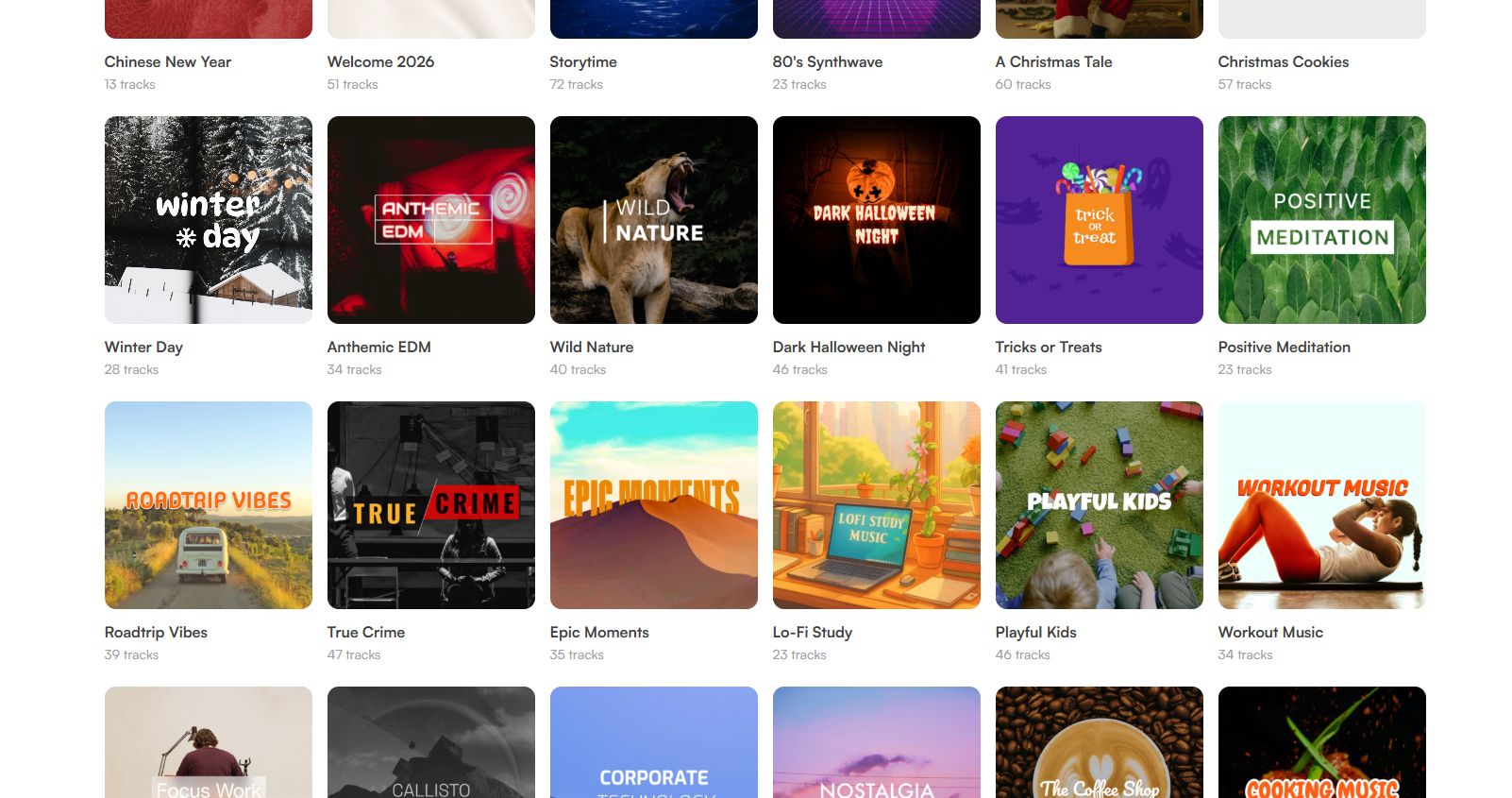
Creating a Twitch playlist is very simple on HookSounds:
- Create a free HookSounds Account.
- Create a new playlist and give it a name.
- Browse our royalty-free music library and click the “+” button to add it to your playlist.
- Done! Simply play it back while you are streaming.
FAQ: Twitch Music Licensing
Can You Use Royalty-Free Music in Twitch Streams and VODs?
Yes.
You can use royalty-free music on Twitch as long as the license you have explicitly allows Twitch or livestream use.
Some royalty-free music libraries, such as HookSounds, offer creator-focused subscription plans that cover not only Twitch, but also other social media platforms and YouTube. Depending on the license, these plans may also allow you to monetize your content while using the music.
Why Is My Twitch Stream Muted?
If your VOD has been partially muted, Twitch may have detected copyrighted audio in the recording. A muted VOD does not automatically mean that you received a DMCA notification or a copyright strike.
Twitch automatically scans VODs for copyrighted audio and can mute the affected sections.
If you believe the audio was incorrectly flagged and you have the necessary rights, Twitch provides an appeal process.
Can I Use Video Game Music on Twitch?
It depends.
The fact that music is included in a video game does not automatically mean that you have unlimited rights to broadcast that music on Twitch.
Many game publishers allow their games, including the music they contain, to be streamed on Twitch, but this is not always the case.
Twitch recommends checking the game’s End User License Agreement (EULA) when streaming games that contain recorded music.
Some games also offer a dedicated streamer mode that removes or replaces copyrighted music to help creators avoid potential copyright issues while streaming.
Can I Play Spotify Music on a Twitch Stream?
It’s risky. Generally, you should not assume that you can.
A Spotify subscription gives you access to music under Spotify's terms. It does not automatically give you the right to broadcast those recordings on Twitch.
If you want to use music during your stream, use music that you own or have properly licensed for Twitch.
You’ll find some “non-copyrighted playlists” on Spotify where uploaders claim that it’s “safe to use on Twitch”. However, these uploaders often do not own the music and clear licensing terms do not exist. You won’t have anything to show if anyone asks you to prove your permission/license and you never know what you can and can’t do with the music.
Our tip: If you don’t want to risk copyright issues, it’s best to stay away from these playlists.
Can I Play YouTube Music on a Twitch Stream?
You should not assume that music available on YouTube is free to use.
It’s essentially the same as with Spotify. Just because a song is available on YouTube does not mean you have permission to rebroadcast it on Twitch.
Uploaders of those YouTube Music Playlists can only claim that the music is safe to use. However, these claims do not necessarily come with clear licensing terms. You may not know whether the original artists actually agreed to have their music used for Twitch streams, what the origin of the tracks is, or even whether the music was AI-generated.
In short: Playing YouTube music on a Twitch stream is risky, because the level of legal safety is basically at 0%.
Summary
Music is an important detail that makes Twitch streams much more enjoyable. It can create a mood, fill quiet moments, make your channel more recognizable, and help keep your audience engaged.
Just because you can listen to a song doesn't mean you can legally use it on Twitch.
Spotify subscriptions, purchased songs, YouTube videos, and music found online do not automatically give you the rights to use that music on Twitch.
If you want to avoid copyright problems, use:
- music that you own
- music that is in the public domain
- music provided directly by Twitch
- music from a service specifically designed to provide Twitch-cleared music.
For DJs, Twitch's DJ Program provides another option, allowing enrolled DJs to stream a large catalog of popular music within Twitch's dedicated licensing framework.
For many other streamers, royalty-free music remains one of the easiest ways to add high-quality music to a stream without dealing with copyright problems or uncanny legal situations.
The most important thing:
Know where your music comes from, understand your license, and make sure it covers the way you use it.