You can cancel your subscription through your profile dashboard. To access it, click on your profile image (on the top right of the site) and go to Profile. On the left column, click on Subscriptions where you will see the status of your current subscription, including the expiration date. Next, click on Cancel to proceed with the cancellation. Once it's been cancelled you will receive a confirmation via email.
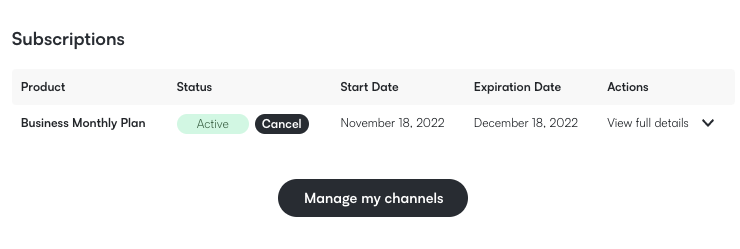
If you are not able to cancel it this way, then contact us at support@hooksounds.com and inform us about your wish to cancel.
You can cancel your subscription anytime before its expiration date, however we recommend to do so a few days prior to the renewal date in order to avoid unwanted charges.
When canceling your subscription you still have access to the music and you can publish any content with our music on it until the expiration date of the subscription. However, you are not allowed to use the downloaded assets in projects posted after you have lost access.